Back to all freebies

Windows 11 Tailwind CSS template

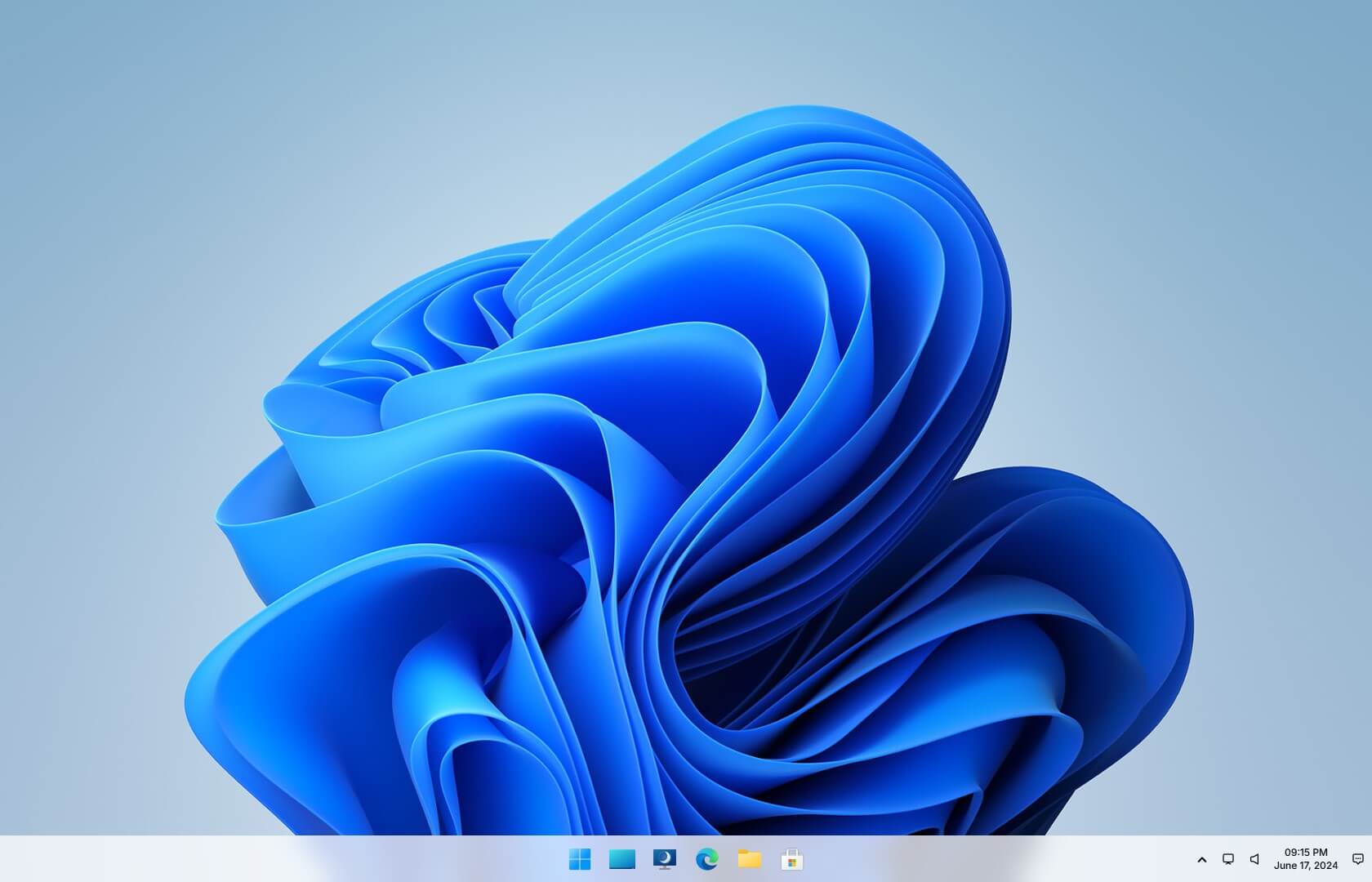
A Windows 11 UI concept built with Tailwind CSS 4. Created back when Windows 11 was first teased with its new visual language, it brings that early vibe to the web with a desktop-first layout, light/dark mode, a working Start menu dropup, and a notifications side area.

Preview of Windows 11 Tailwind CSS template

Template features

Everything you need to explore a Windows 11-style UI concept in minutes.

Built with Tailwind CSS

Modern utility-first CSS framework for rapid development.

Light and dark mode

Designed to look great in both light and dark themes.

Desktop-first layout

Designed for a desktop-sized viewport, just like the OS.

1 designed page

A complete Windows 11 UI concept page is included.

Windows 11 inspired

A UI direction inspired by the early Windows 11 reveal, before release.

Interactive UI elements

Includes a working Start menu dropup and a notifications side area.

What's included

A handcrafted Windows 11 UI concept ready for you.

  • Windows 11 UI concept page
  • Light and dark mode support
  • Working Start menu (dropup)
  • Notifications side area

About this template

Everything you need to know about this free Windows 11 UI concept.

This free Tailwind CSS template is a Windows 11 UI concept recreated for the web, built back when Windows 11 was first showcased with its fresh look (before the official release). It’s a fun way to explore that design direction in a simple, editable codebase.

Beyond the visuals, it includes interaction details that make the concept feel alive: click the Windows button to open a Start menu dropup, and use the notifications side area to mirror the quick-access UI patterns people expect from the desktop.

The template supports both light and dark mode and is designed with a desktop-first layout in mind. It works great as a UI study, a prototype shell, or a playful starting point for app and dashboard experiments.

Built with Tailwind CSS 4, the structure stays clean and approachable, making it easy to tweak colors, spacing, and components as you iterate. Swap in your own content, extend the panels, or repurpose pieces for a product demo without wrestling the markup.

Preview of Get it now!

Get it now!

Download this free Windows 11 UI concept template.